



FAQs – Google Fit
• How do I sync my Google Fit with Health Connect?
Please refer to the step-by-step guide below. If you are still experiencing difficulties, please contact us at care@bookdoc.com or call 1300-88-2362 (Mon-Fri: 9AM-6PM).
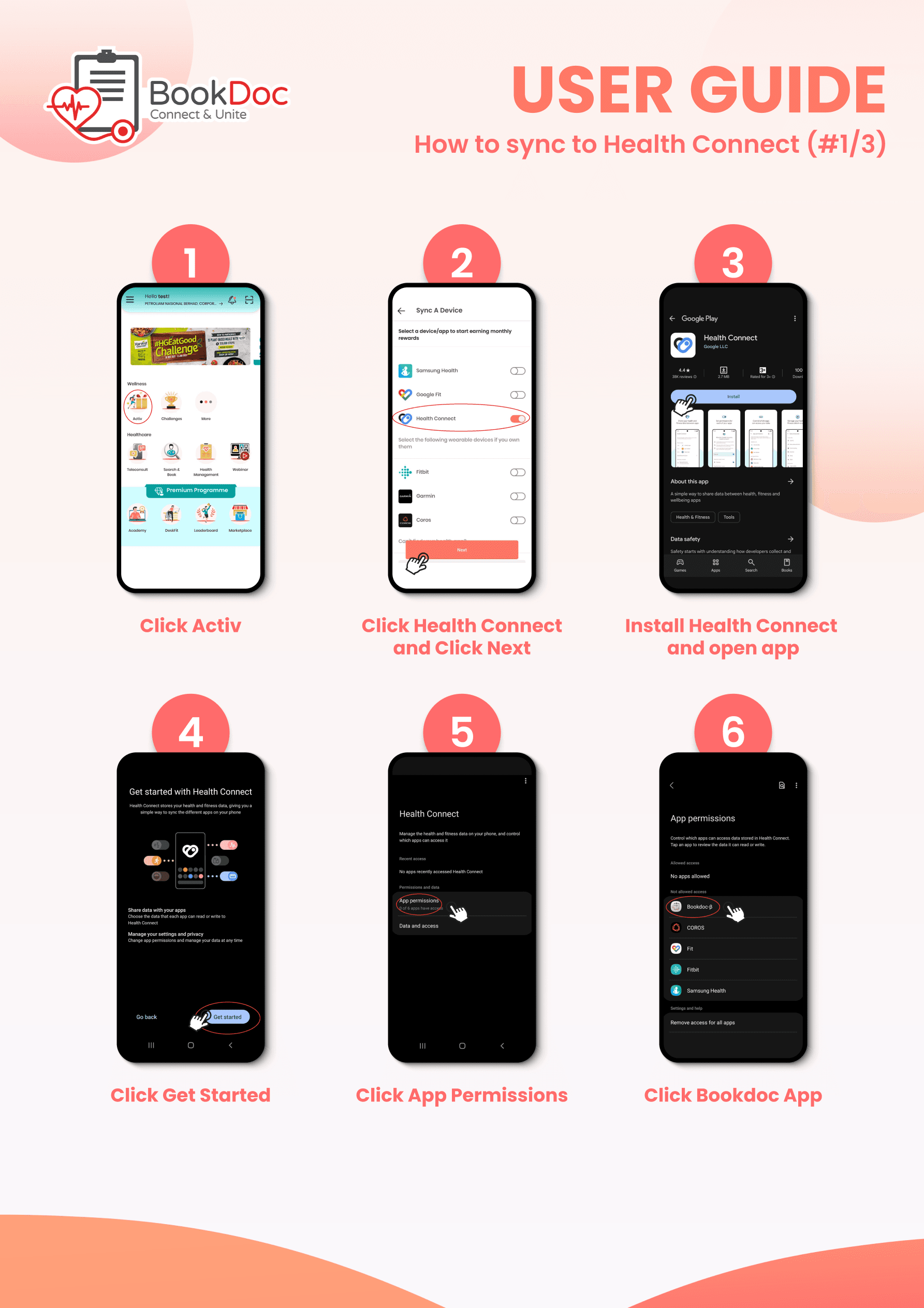
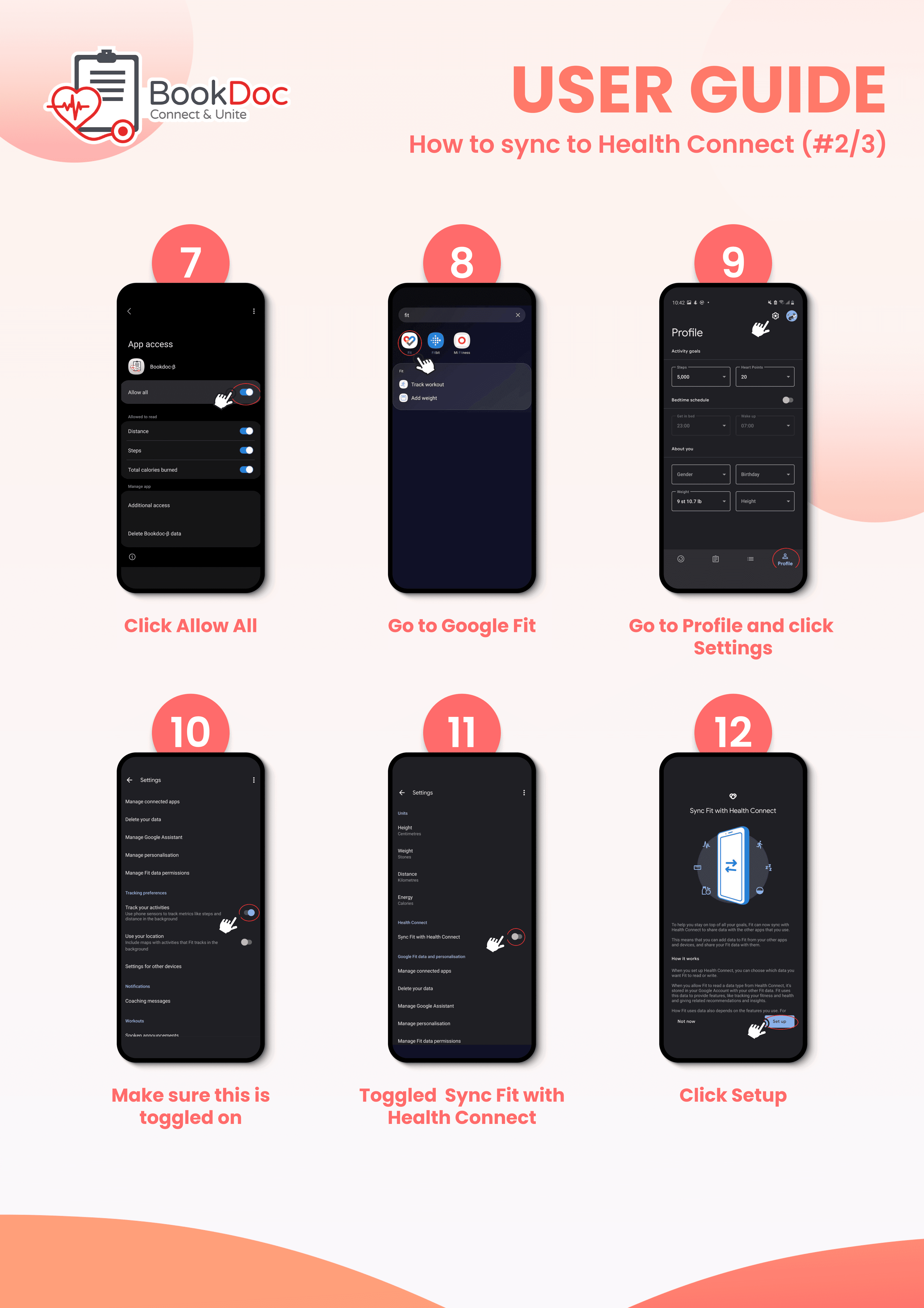
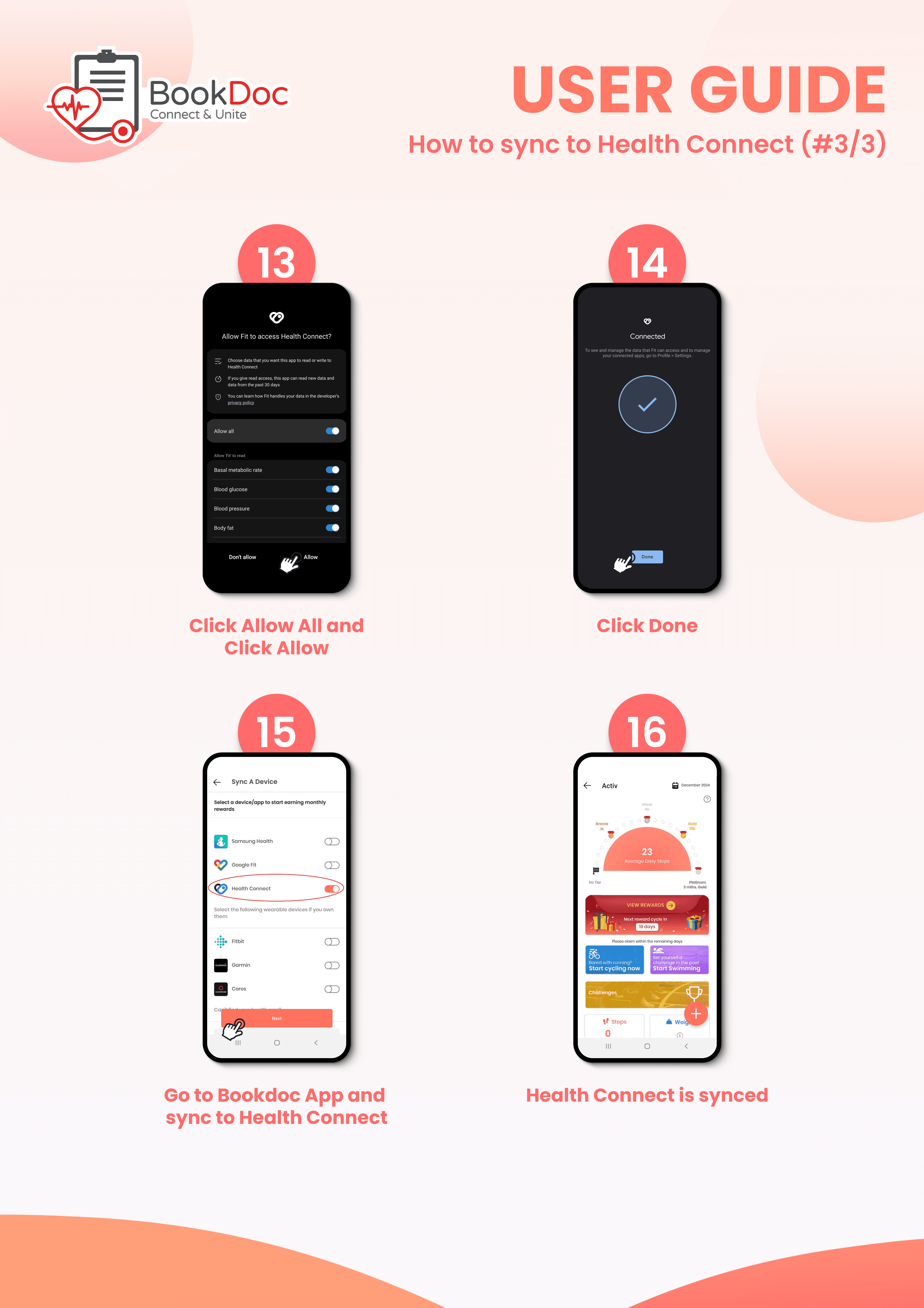
• Why can’t I connect Google Fit directly to BookDoc?
Google is phasing out the direct Google Fit connection previously used by apps such as BookDoc. This change is made by Google and is beyond BookDoc’s control.
Google now recommends Health Connect for Android apps to access health and fitness data.
If you use Google Fit, your steps will now reach BookDoc through:
Google Fit → Health Connect → BookDoc
• Why does BookDoc use Health Connect instead of connecting directly to Google Fit?
Google is phasing out the APIs that previously allowed apps like BookDoc to connect directly to Google Fit.
This is a change by Google and is beyond BookDoc’s control. BookDoc now uses Health Connect, as recommended by Google, to continue receiving your step data.
• Why are my Google Fit steps not showing in BookDoc?
First, check that your latest steps are showing in Google Fit.
Next, make sure:
Google Fit → Health Connect: Google Fit has permission to share your step data.
Health Connect → BookDoc: BookDoc has permission to read your step data.
Then reopen BookDoc and check your Activ page.
If your steps are still not showing, please contact BookDoc Support for assistance.
• Do I need Health Connect to sync Google Fit with BookDoc?
Yes. BookDoc can no longer rely on a direct connection to Google Fit because Google is phasing out the Google Fit APIs.
For Android users who use Google Fit, Health Connect acts as the connection between Google Fit and BookDoc:
Google Fit → Health Connect → BookDoc